AI + MCP
Don’t just run it.Ask it.
Explore how AI-assisted analysis and an MCP connection could support an operator workflow. Confirm supported clients, tools, permissions and human review with the product team.
Explore the workflow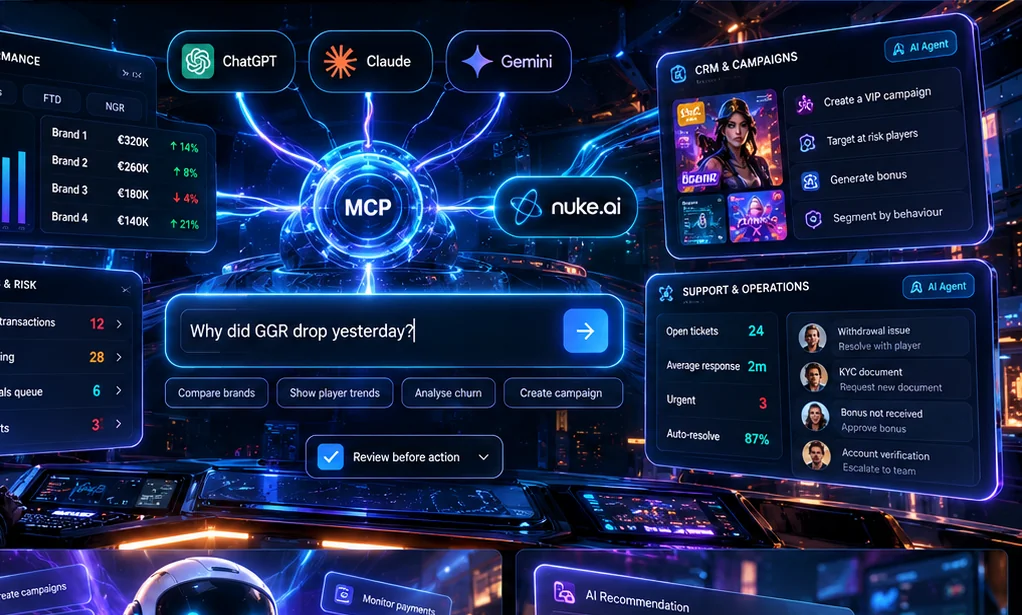
*Game availability, integrations and delivery depend on your market, provider approvals and agreed scope. See platform details
Illustrative workflow · sample data
AI operations example
No live operation is connected. The scenarios are fictional examples, not product results.
| Sample brand | Bets | Wins | GGR |
|---|---|---|---|
| Example North | $100,000 | $82,000 | $18,000 |
| Example South | $60,000 | $51,000 | $9,000 |
- 01Input
Sample question: which synthetic brand GGR variance needs a human look?
- 02Permission boundary
A product operator can open this sample only; no live account or player data is available.
- 03Insight
Illustrative queue marker for manual triage, not a business result. Example: an item remains within a fictional review threshold and is available for routine review.
- 04Human review
A duty manager decides whether to investigate and records the reason.
- 05Audit trail
Illustrative audit record: reviewer, decision and time; this page saves no record.
Scenario changes are local to this browser. No customer, player, operational or personal data is processed.
Start with the question
Useful analysis begins with defined data.
A prompt is only as useful as the source records, metric definitions and access boundaries behind it. Treat a generated response as a starting point for review, not an instruction to act.
- Define the period, brands and measures being reviewed.
- Check the source records and known data limitations.
- Keep sensitive access scoped to the task.
Review before action
Automation is not a permission model.
Operational teams should be able to inspect a recommendation, determine whether an action is allowed, and retain responsibility for the outcome.
- Separate insight from execution.
- Require the appropriate approval for sensitive work.
- Test failure, duplicate and delayed-data handling outside production.
Bring real questions
Use the demo to test the boundary.
Ask which AI clients, tools and actions are currently supported for your intended workflow. Confirm the controls rather than relying on an illustrative interface.
- Roles and permissions
- Audit and review expectations
- Integration and data-retention dependencies
Next step
Make the demo your own.
Define the period, brands and measures being reviewed. · Check the source records and known data limitations. · Keep sensitive access scoped to the task.. Bring the parts of your setup that matter to this discussion.
Share the context.
Define the period, brands and measures being reviewed.
Review the workflow.
Separate insight from execution.
Agree what comes next.
Roles and permissions
Questions buyers ask
Questions, answered.
A few details worth knowing before we talk.
What should we bring to an AI workflow review?
Bring a real operational question, the relevant data sources, expected users and the decision you want to support.
Can an AI assistant make changes to player accounts?
Confirm which actions, permissions, approvals and audit records are supported for the proposed workflow. Do not assume an illustrative demo can make changes.
Which AI clients and data sources are supported?
Ask the product team to verify the specific client, connector, data access and retention requirements for your use case.