AI content and Thumbnail Studio
One brief.Your creative direction.
Explore a creative workflow for game thumbnails and promotional assets. Confirm the available outputs and review brand fit, language, asset rights and market requirements before use.
Explore the workflow
*Game availability, integrations and delivery depend on your market, provider approvals and agreed scope. See platform details
Illustrative workflow · sample data
AI Studio example
No live operation is connected. The scenarios are fictional examples, not product results.
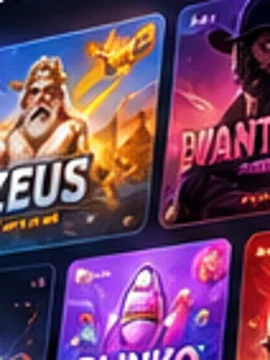
- 01Input
Sample campaign brief with fictional brand rules and a selected creative direction.
- 02Permission boundary
A named editor may review the sample asset; no publishing permission is demonstrated.
- 03Insight
Illustrative creative draft, not production output or an approved campaign. Example: an item remains within a fictional review threshold and is available for routine review.
- 04Human review
An editor approves, revises or rejects the draft before any release decision.
- 05Audit trail
Sample audit entry records the chosen version and editor decision.
Scenario changes are local to this browser. No customer, player, operational or personal data is processed.
Start with approved inputs
A prompt is not a brand system.
Bring approved artwork, brand guidance and the intended placement to the creative workflow. Generated output should remain clearly reviewable before use.
- Source artwork and rights
- Approved brand rules
- Output placement and format
Review the output
Illustration is not an automatic publishing pipeline.
Ask to see how variants are reviewed, selected and handed to the team responsible for publishing. Do not treat a concept preview as evidence of a production integration.
- Variant selection
- Manual review and approval
- Configured delivery dependencies
Set the expectation
Creative automation still needs ownership.
Confirm the available workflow, file requirements and the people who approve product-facing creative before it reaches a live surface.
- Human approval
- Asset versioning
- Delivery and publishing boundaries
Next step
Make the demo your own.
Source artwork and rights · Approved brand rules · Output placement and format. Bring the parts of your setup that matter to this discussion.
Share the context.
Source artwork and rights
Review the workflow.
Variant selection
Agree what comes next.
Human approval
Questions buyers ask
Questions, answered.
A few details worth knowing before we talk.
What creative outputs can we request?
Bring the intended placements and formats, and ask the team to demonstrate the outputs currently supported.
Who reviews the generated assets?
Agree a human review for brand fit, language, rights and market requirements before assets are used.
Does AI Studio automatically publish assets?
Confirm the current handoff and publishing workflow; an illustrative preview does not establish an integration.